

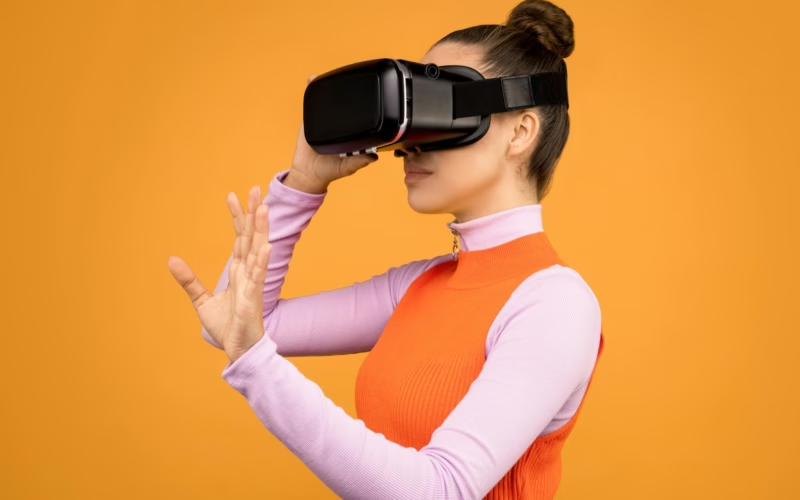
Augmented Reality vs Virtual Reality Headsets represent the two dominant poles of spatial computing, technologies that promise to fundamentally redefine how we interact with digital information and the physical world. While both use head-mounted displays to immerse users in a new environment, their methodologies, goals, and core applications are distinct. For consumers, enterprises, developers, and enthusiasts looking to invest in this rapidly evolving market, understanding these differences is paramount to selecting the device that best aligns with their needs. This guide offers an in-depth examination of the exclusive hardware leading the charge in each category, helping you navigate the landscape and determine whether total immersion or digital overlay is the right path for your next technological investment.
The Fundamental Divide: Immersion vs. Overlay
The primary distinction between AR and VR lies in the user’s sensory experience.
Virtual Reality (VR) is defined by total immersion. VR headsets use opaque displays to entirely block out the physical world, replacing the user’s surroundings with a completely generated digital environment. The goal is to maximize presence—the psychological sensation of truly being present in a virtual space. This technology requires sophisticated tracking systems to monitor head and hand movements, translating them into actions within the virtual world.
Augmented Reality (AR), conversely, aims to enhance or overlay the physical world. AR devices typically use transparent lenses or advanced video passthrough technology, allowing the user to see their real surroundings while displaying computer-generated imagery overlaid onto the view. The digital objects appear anchored to specific points in physical space, seamlessly integrating with the environment. The focus here is on utility, context, and collaboration without isolating the user.
Mixed Reality (MR) is a concept that often blurs the line, particularly with modern devices like the Meta Quest Pro or Apple Vision Pro. These headsets utilize high-fidelity color passthrough cameras, essentially functioning as AR devices when displaying the outside world but capable of instantaneously switching to full VR immersion. However, for the purpose of identifying technology pioneers, we categorize devices by their primary, exclusive design purpose—either augmenting reality or replacing it.
Choosing Your Platform: Exclusive AR/Spatial Computing Devices
True Augmented Reality headsets are often more complex and expensive than their VR counterparts because they must accurately map and interact with the physical world in real-time. These devices are currently favored primarily by enterprise, engineering, and medical sectors.
Microsoft HoloLens 2: The Enterprise Standard
The HoloLens 2 is often considered the gold standard for dedicated, enterprise-grade AR. It is not designed for consumer gaming but for professional applications that demand precision and reliability.
Technology Exclusive: Utilizes waveguides to project 3D holograms onto the lenses. Crucially, it tracks hands and eyes, allowing for intuitive manipulation of digital objects without external controllers.
Best For: Remote assistance, architectural visualization, medical training, and manufacturing repair instructions (digital twin application).
Key Advantage: Unparalleled integration with Microsoft’s Azure cloud services and suite of enterprise tools, making it a powerful solution for corporate deployment.
Constraint: The field of view, while improved from the previous generation, is still somewhat constrained, a common limitation of optical AR headsets.
Magic Leap 2: Focus on Developer Innovation
Magic Leap entered the market with enormous hype and remains a powerful, dedicated AR contender, particularly focused on offering a wide Field of View (FoV) suitable for demanding visual tasks.
Technology Exclusive: Known for its “Dynamic Dimming,” which allows parts of the physical world to be obscured to increase the visual fidelity and opacity of digital content—vital in brightly lit environments where typical AR overlays can appear washed out.
Best For: Detailed design reviews, surgical planning, and collaborative 3D modeling where visual contrast is essential.
Key Advantage: Lightweight design compared to some competitors, with a separate compute pack worn on the waist, distributing the weight and making it more comfortable for extended use.
Apple Vision Pro: Ushering in Spatial Computing
While containing high-end VR components, the Vision Pro’s marketing and core interaction features lean heavily into spatial computing and augmented reality applications. Its high-resolution external display and reliance on passthrough technology defines a new generation of sophisticated AR tools.
Technology Exclusive: The M2 and R1 chip system processes data instantaneously, virtually eliminating lag between the real world and the superimposed digital content. Uses ultra-high-resolution micro-OLED displays which, while viewed through passthrough cameras, create a feeling of looking through a very clear window onto digital objects.
Best For: Personal computing, productivity (using multiple virtual screens anchored in physical space), media consumption, and highly detailed room mapping.
Price and Access: Represents the high-water mark for consumer/prosumer AR pricing, focusing on premium build quality and unparalleled display fidelity.
The Full Dive: Exclusive VR Devices
VR headsets, typically less concerned with seeing the physical world, can prioritize maximizing immersion, visual quality, and comfort for long-duration use, making them ideal for gaming, entertainment, and training simulations that require total focus.
Meta Quest 3 and Quest Pro: The Standalone Leader
Meta has successfully positioned its Quest line as the mainstream consumer choice, bridging cost-effectiveness with performance.
Technology Exclusive: The Quest 3 features the Snapdragon XR2 Gen 2 chip, providing superior graphical processing for a standalone (untethered) device. The Quest ecosystem benefits from the largest library of consumer VR content globally.
Best For: Consumer gaming, fitness applications (Meta Quest Fit), high-fidelity social platforms (Horizon Worlds, VRChat), and general entertainment.
Key Advantage: Freedom of movement. Being completely wireless and offering inside-out tracking (using external cameras to map the room instead of external base stations) makes it highly convenient for casual and dedicated users alike.
Quest Pro Note: The Pro model pushes into the MR space with more advanced passthrough and face/eye tracking, but its primary function leverages the VR content library.
Sony PlayStation VR2 (PS VR2): High-Fidelity Console Immersion
Exclusive to the PlayStation 5, the PS VR2 offers AAA gaming immersion that leverages the raw graphical power of the console.
Technology Exclusive: Utilizes high-resolution OLED displays that offer deep blacks and vibrant colors, superior haptic feedback integrated into the controllers (Sense controllers), and unique headset vibration functionality to convey in-game effects (e.g., the feeling of a huge engine passing by).
Best For: Exclusively high-quality, graphically intense gaming titles such as Horizon Call of the Mountain and Resident Evil Village VR.
Constraint: It is a wired device connected exclusively to the PS5, limiting portability and requiring a dedicated console investment.
Valve Index: The Premium PC Enthusiast Choice
The Valve Index remains the top choice for PC VR enthusiasts seeking the highest refresh rates, widest Field of View (FoV), and arguably the most precise tracking system available.
Technology Exclusive: Known for its “Knuckles” controllers, which offer individual finger tracking, allowing users to naturally interact with virtual objects (e.g., gently picking up items or giving a thumbs-up). It utilizes external SteamVR Base Stations (lighthouse tracking) for extremely precise, low-latency tracking across large areas.
Best For: Hardcore PC simulation (flight sims, racing), deep customization, and experiences that require the highest fidelity and lowest possible latency.
Constraint: Requires a powerful gaming PC and complex setup with external sensors, making it less accessible than standalone options.
The Core Comparison: Key Differences in Augmented Reality vs Virtual Reality Headsets
When comparing the true leaders of both categories, several key differentiating factors emerge concerning core technology and user intention:
| Feature | Augmented Reality (AR) Headsets (e.g., HoloLens 2, Vision Pro) | Virtual Reality (VR) Headsets (e.g., Valve Index, Quest 3) |
| :— | :— | :— |
| User State | Present in the real world; aware of surroundings. | Isolated from the real world; fully immersed in digital space. |
| Display Type Goal | Transparency (optical see-through) or high-fidelity passthrough. | Opaque, high-refresh rate display panels (maximum light control). |
| Field of View (FoV) | Often constrained (the digital overlay only occupies a portion of the view). | As wide as possible (designed to fill peripheral vision for immersion). |
| Latency Requirement | Extremely low latency (critical for aligning digital objects with the real world). | Low latency (critical for preventing motion sickness). |
| Primary Use Cases | Collaboration, field service, design iteration, medical procedures, productivity. | Gaming, entertainment, fitness, large-scale training simulation. |
| Device Cost | Generally higher for dedicated enterprise solutions. | Lower for consumer standalone devices; higher for premium tethered solutions. |
Practical Applications: Who Needs Which Technology?
The decision between AR and VR hinges entirely on the intended application goals.
Focus on Isolation and Experience: Choose VR
If the primary goal is to escape the current environment, whether for an hour of blockbuster gaming, social interaction across continents, or intensive skills practice (such as driving or flying simulation), VR is the necessary investment.
Ideal User: Gamers, military or industrial trainers, specialized educators (e.g., teaching human anatomy by full-scale visualization), and fitness enthusiasts seeking highly engaging, movement-based workouts.
Focus on Interaction and Context: Choose AR
If the goal is to enhance work, aid communication within a physical space, or provide information without disconnecting from reality, AR is the appropriate technology.
Ideal User: Architects, engineers, field technicians needing real-time schematics overlaid on machinery, surgeons requiring patient data during an operation, or anyone seeking to anchor persistent, helpful digital content in their physical workspace. For example, an AR device allows a museum curator to display historical facts next to a physical artifact, whereas a VR device replaces the museum entirely.
The Rise of Mixed Reality (MR)
The current trend sees many high-end devices, particularly the Meta Quest Pro and Apple Vision Pro, pushing the boundaries of true Mixed Reality, allowing users to seamlessly transition between high-quality VR and functional AR passthrough. For those unwilling to commit solely to one paradigm, these hybrid headsets offer the best of both worlds, serving as crucial bridge devices for the average consumer who wants both productivity interfaces and entertainment libraries.
Conclusion
The market for spatial computing is no longer a niche, but a bifurcated system of powerful, distinct hardware. Augmented Reality vs Virtual Reality Headsets each fulfill critical yet separate roles. VR offers a pathway to completely new worlds, maximizing sensory input for entertainment and deep-level training, while AR functions as an intelligent layer over our existing environment, prioritizing real-world context and collaboration.
As technology progresses, barriers like field of view in AR and the bulkiness of VR are steadily shrinking. Before making a purchase, assess whether your needs are best met by total immersion or practical overlay. The dedicated devices outlined above represent the pinnacle of their respective technologies, promising truly transformative digital experiences, whether you are stepping into a metaverse or simply enhancing the reality in front of you.
